
Guide
How to Choose a Rolling TV Stand
Choosing a rolling TV stand takes five minutes if you know what to check. Follow the steps below and you will avoid the most common mistakes: a cart that is too small, too weak or does not fit your TV mounting holes.
The five-minute checklist
- Screen size inside the cart range
- TV weight below the cart rating, with a 20 percent margin
- VESA pattern supported
- Locking wheels
- A shelf only if you need one
Step 1: screen size
Each cart lists a range, for example 23 to 65 inches. Your TV diagonal must sit inside it. A TV near the top of the range looks fine, but near the bottom it can look lost on a big base.
Step 2: weight
Look up your TV weight without the stand. Add any accessories you will put on the shelf. Choose a cart rated at least 20 percent higher. See our heavy-duty guide for large TVs.
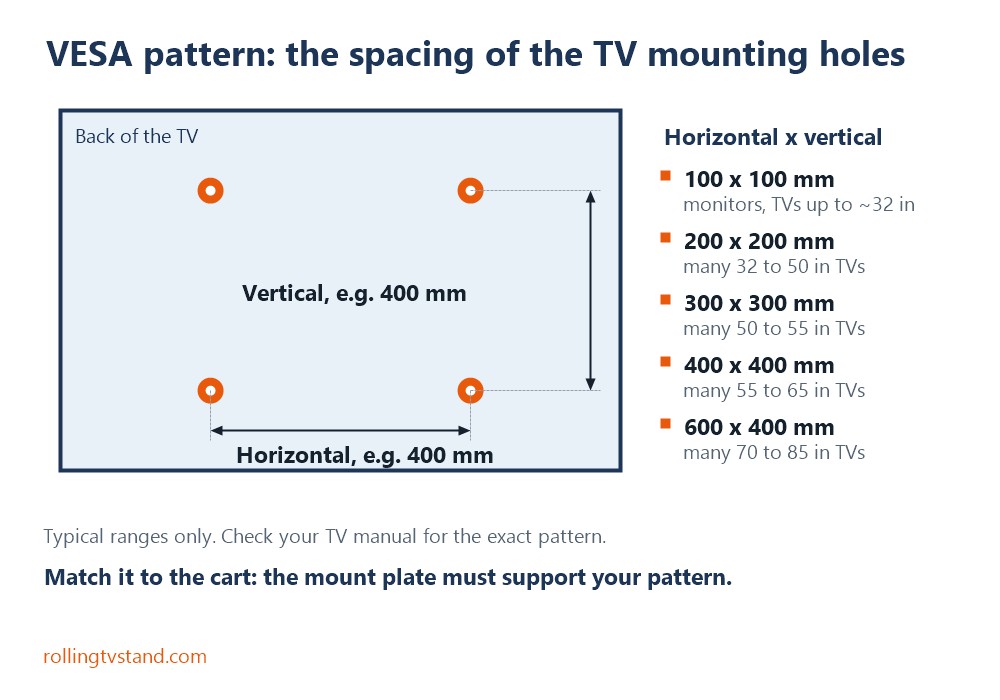
Step 3: VESA pattern
The VESA pattern is the spacing of the screw holes on the back of the TV, in millimeters. The cart plate must support your pattern. Read more in our mount guide.
Not sure which cart fits? Try the cart finder on our home page.
Step 4: wheels and base
Choose four casters, with at least two that lock. Hard casters are best on tile and wood. Large wheels roll better over small gaps. A wider base is more stable.
Step 5: extras
- Shelf: for a console or streaming box. See carts with a shelf.
- Tilt: helps with glare.
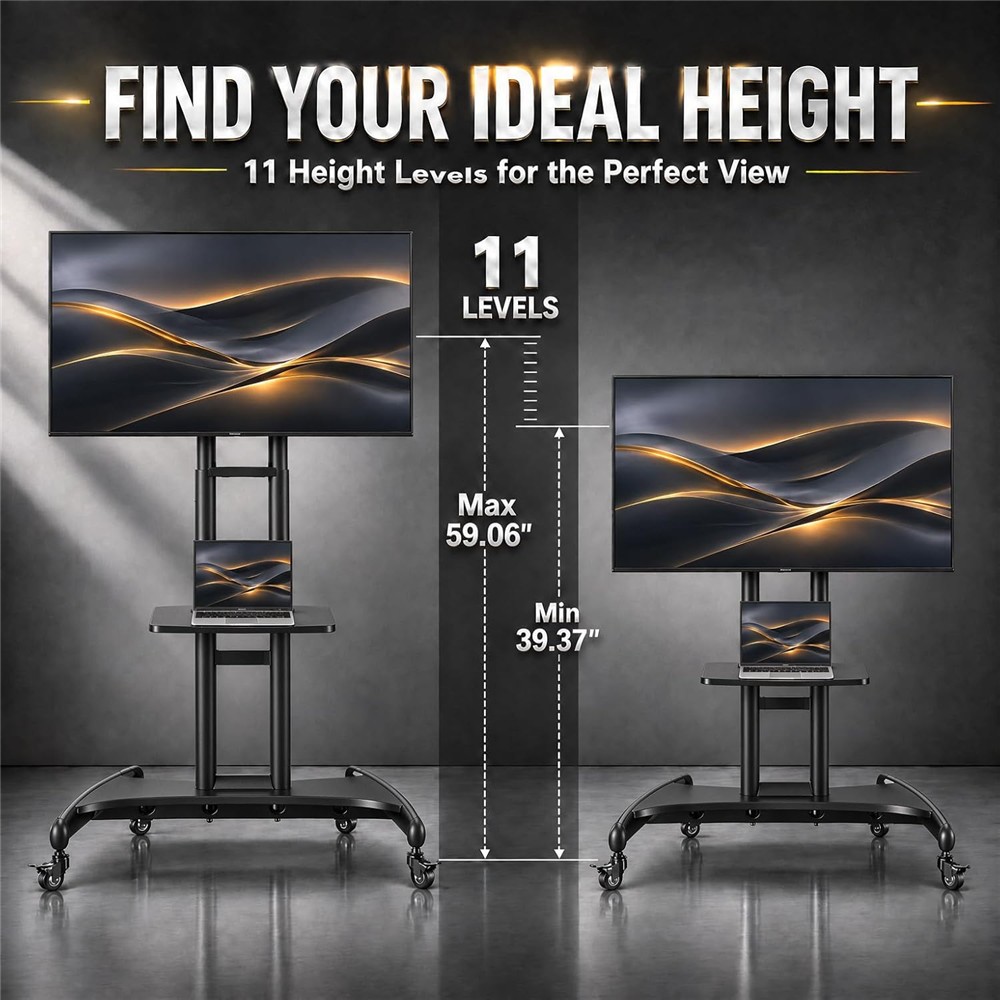
- Height adjustment: comfortable viewing for sitting or standing.
- Cable management: keeps cords off the floor.
A worked example
Suppose your TV is a 65 inch model that weighs 55 lbs without the stand and you want to keep a streaming box on a shelf. Add a few pounds for the box, then add 20 percent: about 70 lbs. A cart rated for 88 lbs and for 65 inch screens covers it with room to spare. If the same TV weighed 85 lbs, you would move up to a 110 lb cart.
Common mistakes
- Buying by screen size only. A cart can cover your diagonal and still be too weak for your TV.
- Ignoring VESA. A plate that does not match the holes on the back of the TV will not fit, even if everything else is right.
- Using the weight with the stand. The cart replaces the TV feet, so use the weight without the stand.
- Forgetting the doorway. A wide base may not pass through a narrow door.
- Loading the shelf. The shelf rating is much lower than the TV rating, so keep heavy equipment off it.
Ready to choose?
See our best rolling TV stands or pick by size: 55, 65, 75 and 85 inch.
FAQ
How do I measure my TV for a rolling stand?
Use the diagonal screen size printed in the TV name, such as 65 inches. You do not need to measure the width. The cart listing gives the size range it supports.
What if my TV VESA pattern is not listed?
Look for a cart with a wide VESA range, or buy an adapter plate. Do not force a mount that does not match.
Do I need two people to set up a rolling TV stand?
One person can assemble the cart. Two people should lift the TV onto the pole, especially for 55 inch and larger TVs.
Related guides
- How to Mount a TV on a Rolling Stand
- Best Rolling TV Stands (2026)
- Rolling TV Stand with Mount: What to Check
- Heavy Duty Rolling TV Stand: Best Carts for Large TVs
Read how we pick products on the How we evaluate page.